100% of Hacked Google Accounts Lacked 2FA—Yet 62% of Small Businesses Still Ignore This Simple Security Layer
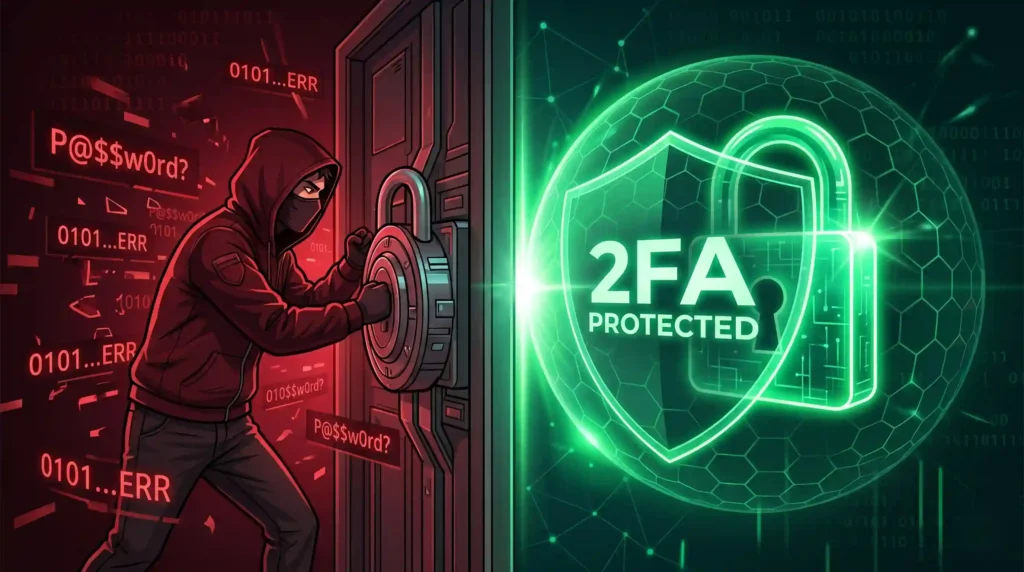
Your password is strong. You change it regularly. You never share it. And then a hacker steals it anyway—from a data breach, phishing email, or malware. They access your email, your banking, your customer data, your website admin panel. Your entire business is compromised.
Unless you have two-factor authentication enabled.
Two-factor authentication (2FA) makes your accounts 999 times less likely to be compromised than passwords alone. 2FA blocks 99.9% of automated cyberattacks, 96% of bulk phishing attempts, and 76% of targeted attacks. Google’s 2023 study found 100% of hacked Google accounts lacked 2FA—not one victim had it enabled.
Yet 62% of small businesses lack MFA protection, only 28% of small businesses have 2FA on all services, and 38% of large enterprises haven’t deployed it despite mounting cyber threats.
The global cybersecurity market reaches $172.32 billion in 2025 and is projected to hit $424.97 billion by 2035—driven by businesses recognizing that passwords alone are insufficient against sophisticated attacks. Two-factor authentication represents the single most effective, affordable security measure available—averaging just $15 per user per year while preventing $4.45 million average data breach costs.
76% of breaches involve stolen credentials—exactly the vulnerability 2FA eliminates. 81% of hacking breaches stem from weak or stolen passwords—the specific threat 2FA prevents. 2,200+ breaches in 2023 involved organizations lacking 2FA protection.
Yet most Toronto businesses ignore this critical security layer—treating authentication as inconvenience rather than necessity. This casual approach toward account protection costs businesses billions annually in breaches, data theft, and ransomware attacks.
For Toronto businesses implementing comprehensive website security and data protection, two-factor authentication represents the foundational security layer protecting customer data, business operations, and brand reputation.
What Two-Factor Authentication Actually Is (And Why It Works)
Two-factor authentication (2FA) is a security process requiring two different verification methods to access an account: something you know (password) plus something you have (phone, email, authenticator app) or something you are (biometric).
How 2FA Works: The Three-Step Process
Step 1: Password Entry
You enter your username and password as normal. The system verifies your credentials.
Step 2: Secondary Verification Request
The system sends a code via SMS, email, authenticator app, or biometric prompt. You must provide this second factor to complete login.
Step 3: Account Access
Only after providing both factors—correct password AND correct second verification—does the system grant access.
Why This Simple Process Stops 99.9% of Attacks
Stolen passwords become useless: Even if hackers obtain your password from data breach, they can’t access your account without the second factor.
Automated attacks fail: Hackers’ bots can’t automatically provide SMS codes or biometric data. Automation fails instantly.
Phishing becomes ineffective: Phishing emails trick users into entering passwords, but second-factor codes are time-limited and account-specific. Phishers can’t reuse codes.
Malware limitations: Even if malware captures passwords, it can’t typically access SMS codes or authenticator apps on separate devices.
When implementing website security and data protection measures, 2FA represents the most cost-effective security upgrade available—blocking vastly more attacks than expensive security software.
The Security Proof: Statistics That Should Terrify Every Business
The data is unambiguous: 2FA works at scale—and its absence enables catastrophic breaches.
Attack Prevention Rates
99.9% of automated cyberattacks blocked: When any form of MFA is enabled, nearly every automated attack fails.
99.9% of account takeovers prevented: Microsoft reports 2FA reduces account takeovers by 99.9% on accounts with it enabled.
96% of bulk phishing attempts blocked: Large-scale phishing campaigns fail almost entirely when targets have 2FA.
76% of targeted attacks prevented: Even sophisticated, manually-executed attacks have 76% failure rate against 2FA.
100% of automated bot attacks stopped: When mobile apps are used for 2FA, automated bot attacks fail completely.
The Cost of Ignoring 2FA
$4.45 million average data breach cost when 2FA is absent. With 2FA? Breach prevention becomes the primary benefit.
$14.7 billion revenue loss in 2024 from cyberattacks that 2FA could have prevented.
42% of cyberattacks in 2024 stopped by 2FA—meaning 42% fewer breaches, fewer stolen customer data, fewer regulatory fines.
76% of breaches involve stolen credentials—the exact vulnerability 2FA eliminates.
81% of hacking breaches stem from weak/stolen passwords—the specific attack vector 2FA prevents entirely.
2,200+ breaches in 2023 where lack of 2FA contributed—documented preventable attacks.
When evaluating cybersecurity and data protection strategy, 2FA effectiveness statistics prove it’s not optional—it’s mandatory for responsible business operations.
The Three Types of 2FA: Which Works Best
Organizations and users have multiple 2FA methods available, each offering different security levels and user experience tradeoffs.
SMS Text Messages: Still Most Popular (But Declining)
Usage: 41-77% of users rely on SMS-based 2FA
How It Works: Login attempt triggers text message with time-limited code. User enters code to complete authentication.
Strengths:
- Simplest for non-technical users
- Works on any phone (no app installation)
- Universal reach—virtually all phones receive SMS
Weaknesses:
- SIM swapping attacks: Hackers convince carrier to transfer phone number to their device, intercepting SMS codes
- SMS interception: 10% of 2FA breaches involve SIM swapping attacks
- Slowest method: Waiting for text message delays login
Security Level: Moderate—better than nothing, but vulnerable to SIM swapping
Authenticator Apps: Growing Popular (28% Adoption)
Usage: 28% of users use authenticator applications (Google Authenticator, Microsoft Authenticator, Authy, 1Password)
How It Works: App generates time-limited codes (usually 30-60 second validity). User enters code from app to authenticate.
Strengths:
- SIM swapping proof: Codes generated locally on phone, not transmitted via SMS
- Fast: Codes visible instantly in app
- Offline-capable: No internet connection needed to generate codes
- Multiple accounts: Single app manages dozens of accounts
Weaknesses:
- Requires app installation and setup
- Users must transfer codes (can’t auto-fill like password managers)
- App malware could potentially capture codes
- Lost phone access loses access to all codes (unless backup codes saved)
Security Level: High—currently most secure 2FA method for most users
Biometric Authentication: Fastest Growing (21% Adoption, 32% Predicted by 2026)
Usage: 21% use biometrics (fingerprint, facial recognition); surged from 12% in 2022
How It Works: Fingerprint scanner or facial recognition verifies identity. Login completes if biometric matches.
Strengths:
- Most convenient: Fastest authentication method
- Can’t be stolen: Biometric data unique to individual
- Mobile-native: Works seamlessly on smartphones
- Impossible to phish: No codes to intercept or trick users into revealing
Weaknesses:
- Requires compatible hardware (fingerprint readers, face recognition cameras)
- Quality varies—some systems more easily spoofed than others
- Privacy concerns about biometric data storage
- Less effective if hands dirty, facial recognition in dark environments
Security Level: Very High—when implemented properly, nearly impossible to compromise
Password + Authenticator App = Best Current Standard
Optimal 2FA configuration in 2026: Password (something you know) + authenticator app (something you have)
This combination provides maximum security while remaining practical for most users. Microsoft and Google both achieve near 100% protection against automated attacks with this setup.
When implementing authentication and access control, authenticator apps provide optimal balance of security and user experience for Toronto businesses.
Why Adoption Remains Shockingly Low
Despite overwhelming evidence that 2FA prevents 99.9% of attacks, adoption remains limited across business sectors.
Enterprise Adoption Reality
67% of companies implemented 2FA in some capacity (2024)—seemingly high until context reveals: Only 26% of companies require MFA for ALL employees. That means 74% of companies have incomplete 2FA coverage.
91% of financial services firms use 2FA—industry mandates it. But only 28% of small businesses have it on all services—revealing massive protection gaps outside regulated industries.
38% of large enterprises haven’t deployed MFA at all despite 99.9% attack prevention rate.
The Adoption Barriers
User Inconvenience (33%): Users cite 2FA as annoying, slowing login process. Yet studies show even convenience-concerned users accept 2FA for security-critical accounts (email, banking, healthcare).
Implementation Cost (19-42%): Misconception that 2FA is expensive. Reality: $15 per user per year average cost—far less than single data breach.
Integration Challenges (48% of businesses): Legacy systems require retrofitting for 2FA support. Modern platforms require zero additional cost.
Poor User Experience (49% cite barrier): Early 2FA implementations were genuinely poor. Modern authenticator apps work smoothly.
Employee Resistance (22%): Security departments report staff complaining about “extra login step.” Education and enforcement typically resolve resistance.
2FA Adoption Across Industries and Sectors
Different industries show different adoption patterns—revealing which sectors understand security criticality.
Financial Services: 91% enterprise adoption (mandated by regulations)
Healthcare: 80%+ adoption (required by HIPAA privacy regulations)
Education: 33% adoption (student data protection)
Telecommunications: 31% adoption
Government: 27% adoption (improving, lagging private sector)
Software/SaaS: 27% adoption (surprising, given technical sophistication)
SMBs across all sectors: 28-38% adoption on all services—revealing that small businesses assume they’re not targets (incorrect—SMBs are favored targets).
When implementing industry-specific cybersecurity and compliance, 2FA represents minimum baseline for regulated industries and best practice for all sectors.
Toronto Business 2FA Implementation Guide
For Employees: Protecting Company Accounts
Essential Company Accounts Requiring 2FA:
- Email (Gmail, Outlook, corporate platform)
- Password managers (1Password, LastPass, Bitwarden)
- File storage (Google Drive, Dropbox, OneDrive)
- Customer relationship management (Salesforce, HubSpot)
- Website admin (WordPress, website builder platform)
- Financial accounts (accounting software, banking)
- Communication tools (Slack, Microsoft Teams)
Setup Process (typically 5-10 minutes per account):
- Log into account settings/security section
- Find “Two-Factor Authentication” or “Security” settings
- Choose preferred method (SMS, authenticator app, or biometric)
- Complete setup wizard
- Save backup codes in secure location
- Verify 2FA works with test login
Common Mistakes to Avoid:
- Saving 2FA codes in same password manager—defeats security purpose
- Using only SMS on accounts hackers specifically target (email, banking)
- Losing phone without saving backup codes—locks you out permanently
- Sharing 2FA codes with others—12% admit to this, completely compromising security
For Toronto Businesses: Requiring 2FA Across Organization
Executive Priority Actions:
Phase 1 (Week 1-2):
– Assess current 2FA adoption across company
– Identify accounts requiring mandatory 2FA
– Select and deploy authenticator app standard (Google Authenticator or Microsoft Authenticator)
Phase 2 (Week 2-4):
– Train employees on 2FA setup and use
– Require 2FA on critical accounts (email, admin panels, financial)
– Set deadline for completion (typically 30 days)
Phase 3 (Month 2):
– Audit compliance—verify 2FA enabled on required accounts
– Address resistance through security awareness training
– Prepare for enforcement—disable accounts without 2FA after deadline
Phase 4 (Ongoing):
– Audit compliance monthly
– Enforce policy on new accounts immediately
– Educate on security threats and 2FA benefits quarterly
– Update policy as threats evolve
When implementing cybersecurity policy and employee security training, phased rollout with training and support dramatically improves adoption rates compared to mandatory enforcement alone.
The Future of 2FA: Where Authentication Heads Next
2FA continues evolving beyond passwords toward passwordless authentication.
Passwordless Authentication (40% Predicted Adoption by 2025)
Coming Standard: Login entirely through 2FA—no password at all. You authenticate through:
- Biometric (fingerprint, face)
- Security key (USB device like YubiKey)
- Phone notification approval
Benefits: Zero password attacks—can’t steal what doesn’t exist.
Adaptive Authentication
AI learns normal login patterns: Your typical devices, times, locations, IP addresses. Suspicious logins trigger additional verification even with 2FA.
Regulatory Mandates Expanding
15 countries implemented 2FA legislation in 2024. More countries making 2FA mandatory in critical sectors (banking, healthcare, government).
Conclusion: The $4.45 Million Reality
99.9% of automated attacks blocked. 999 times less likely to be compromised. $4.45 million average breach cost prevented.
These aren’t theoretical benefits—they’re documented security improvements affecting real businesses daily.
Yet 62% of small businesses lack MFA protection, 38% of enterprises haven’t deployed it, and 74% of companies have incomplete 2FA coverage.
This security gap isn’t caused by technical complexity or cost—both are minimal. It’s caused by treating authentication as afterthought rather than foundational security requirement.
100% of hacked Google accounts lacked 2FA. That statistic alone should drive immediate 2FA implementation across every Toronto business.
The question isn’t whether to implement 2FA—the data overwhelmingly proves its necessity. The question is whether you’ll enable it before your business experiences preventable breach.
Ready to protect customer data, employee accounts, and business operations with 2FA? Partner with experts who understand cybersecurity implementation and data protection that prevents catastrophic breaches.
About Byte Inspired: Based in Toronto, Byte Inspired implements comprehensive security measures protecting business operations and customer data. We understand 2FA in 2026 represents non-negotiable security baseline. Our comprehensive approach combines cybersecurity strategy, security implementation, and employee training to ensure Toronto businesses deploy protective measures matching threat sophistication. Discover how proper authentication prevents 99.9% of attacks threatening your business.
To visit our social media, please click on Facebook and Instagram